

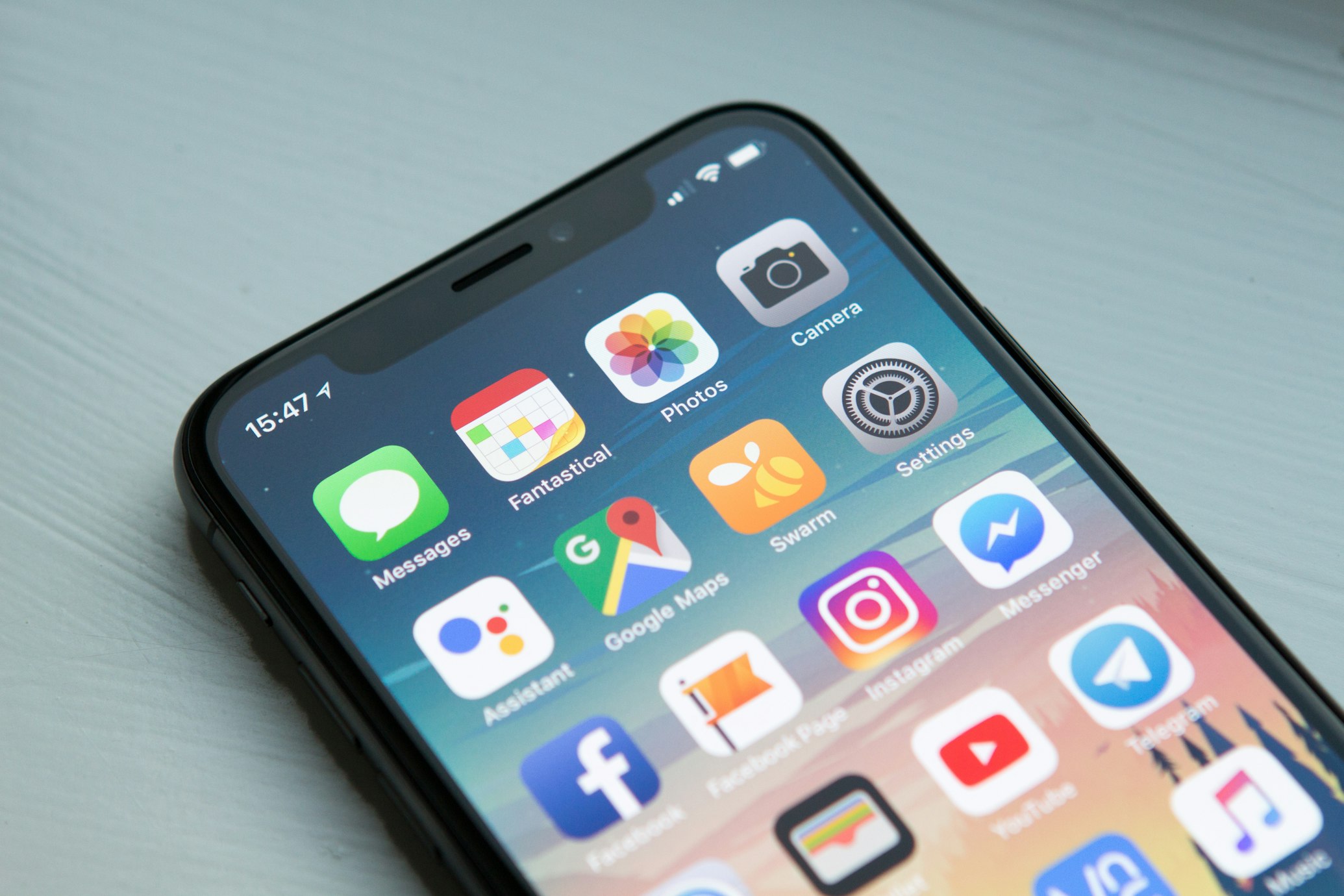
Mobile-First Design: Best Practices for 2025
With over 60% of web traffic coming from mobile devices, mobile-first design is no longer optional—it's essential. This comprehensive guide covers everything you need to know about creating exceptional mobile experiences in 2025.
Introduction
Mobile-first design has evolved from a trend to a fundamental principle of modern web development. As mobile devices continue to dominate internet usage, businesses that fail to prioritize mobile experience risk losing customers, revenue, and competitive advantage.
The Mobile-First Imperative
Current Statistics:
- 63% of global web traffic comes from mobile devices
- 85% of adults believe a company's mobile site should be as good or better than desktop
- 57% of users won't recommend a business with a poorly designed mobile site
- Mobile-friendly sites rank higher in Google search results
- Average mobile session duration: 72 seconds (desktop: 150 seconds)
Business Impact:
- Improved conversion rates (up to 160% increase)
- Better SEO rankings
- Enhanced user engagement
- Increased customer satisfaction
- Competitive differentiation
Understanding Mobile-First Philosophy
What is Mobile-First Design?
Mobile-first is a design strategy that starts with designing for the smallest screen and progressively enhances the experience for larger screens. This approach ensures:
- Core Functionality First: Essential features work on all devices
- Performance Optimization: Lightweight, fast-loading experiences
- Progressive Enhancement: Additional features for capable devices
- Touch-Optimized: Designed for finger navigation
- Content Prioritization: Most important content upfront
Mobile-First vs. Responsive Design
Mobile-First:
- Starts with mobile constraints
- Progressively adds features
- Forces content prioritization
- Performance-focused by default
- Uses min-width media queries
Desktop-First (Traditional Responsive):
- Starts with desktop design
- Removes features for mobile
- Often performance-heavy
- Uses max-width media queries
- Can result in bloated mobile code
Core Principles
1. Content Prioritization
The Inverted Pyramid Model:
On mobile, you have limited screen real estate. Prioritize content using the inverted pyramid:
- Most Important: Above the fold - primary call-to-action, key value proposition
- Supporting Details: Secondary information, benefits, features
- Nice to Have: Additional content, related information
- Supplementary: Footer, legal, detailed specifications
Practical Example:
Good Mobile Priority:
- Hero headline
- Primary CTA button
- 3 key benefits
- Social proof (brief)
- Secondary CTA
Poor Mobile Priority:
- Full navigation menu
- Marketing copy
- All features listed
- Multiple CTAs
- Sidebar content
2. Touch-First Interface Design
Touch Target Sizing:
According to Apple and Google guidelines:
- Minimum touch target: 44x44 pixels (iOS) / 48x48 dp (Android)
- Recommended: 48-56 pixels for comfortable tapping
- Spacing: At least 8 pixels between targets
- Primary actions: Larger targets (56+ pixels)
Touch Patterns:
Natural Thumb Zones:
- Easy to reach: Bottom third of screen, center
- Stretch zone: Top corners, edges
- Impossible zone: Opposite top corner
Place primary navigation and actions in easy-to-reach zones.
Gesture Support:
- Swipe to navigate
- Pull to refresh
- Pinch to zoom (for images)
- Long-press for context menus
- Double-tap for quick actions
3. Performance Optimization
Mobile Performance Targets:
- First Contentful Paint: < 1.8 seconds
- Largest Contentful Paint: < 2.5 seconds
- Time to Interactive: < 3.8 seconds
- Cumulative Layout Shift: < 0.1
- First Input Delay: < 100ms
- Page Weight: < 1MB ideal, < 2MB maximum
Optimization Strategies:
Image Optimization:
- Use WebP or AVIF formats (70% smaller than JPEG)
- Implement responsive images with srcset
- Lazy load below-the-fold images
- Compress images (80% quality sufficient)
- Use CDN for image delivery
Code Optimization:
- Critical CSS inline, defer non-critical
- Minimize JavaScript bundle size
- Code splitting and lazy loading
- Tree shaking to remove unused code
- Compress assets (Gzip/Brotli)
Network Optimization:
- HTTP/2 or HTTP/3
- Prefetch critical resources
- Minimize redirect chains
- Use service workers for caching
- Implement progressive web app features
4. Typography for Mobile
Readability Guidelines:
Font Sizes:
- Body text: 16px minimum (18px recommended)
- Headlines: 24px - 32px
- Subheadings: 18px - 22px
- Captions: 14px - 16px
Line Length:
- Optimal: 50-75 characters per line
- Mobile: 35-50 characters acceptable
- Use responsive font sizing (clamp() or viewport units)
Line Height:
- Body text: 1.5 - 1.7
- Headlines: 1.2 - 1.3
- Increased for accessibility
Font Selection:
- System fonts for performance (-apple-system, BlinkMacSystemFont)
- Max 2-3 font families
- Variable fonts for flexibility
- Ensure readability at small sizes
5. Navigation Patterns
Mobile Navigation Best Practices:
Hamburger Menu:
- ✅ Use for 5+ navigation items
- ✅ Label it "Menu" for clarity
- ✅ Animate smoothly
- ❌ Don't hide primary actions
Tab Bar (Bottom Navigation):
- ✅ 3-5 primary sections
- ✅ Icons + labels
- ✅ Always visible
- ✅ Clear active state
Priority+ Pattern:
- Shows most important items
- Hides secondary items in overflow
- Adapts to screen width
- Best for dynamic content
Sticky Header:
- Key actions always accessible
- Collapses on scroll for space
- Returns on scroll up
- Maximum 56px height
6. Form Design for Mobile
Mobile Form Best Practices:
Input Fields:
- Full-width inputs for easy tapping
- Large, clear labels above fields
- Appropriate input types (email, tel, number)
- Use HTML5 validation
- Show/hide password toggle
Minimize Typing:
- Use dropdowns, pickers, sliders where possible
- Implement autocomplete
- Smart defaults
- One field per row
- Progressive disclosure for complex forms
Error Handling:
- Inline validation
- Clear, specific error messages
- Error state styling
- Prevent submission until valid
- Success confirmation
Example: Optimized Mobile Form
<form className="mobile-form">
  <div className="form-field">
    <label htmlFor="email">Email Address</label>
    <input
      type="email"
      id="email"
      inputMode="email"
      autoComplete="email"
      required
      aria-describedby="email-error"
    />
    <span id="email-error" className="error" role="alert"></span>
  </div>

  <div className="form-field">
    <label htmlFor="phone">Phone Number</label>
    <input
      type="tel"
      id="phone"
      inputMode="tel"
      autoComplete="tel"
      pattern="[0-9]{10}"
    />
  </div>

  <button type="submit" className="submit-btn">
    Continue
  </button>
</form>
Layout and Grid Systems
Flexible Grid Frameworks
CSS Grid for Mobile:
.container {
  display: grid;
  grid-template-columns: repeat(auto-fit, minmax(280px, 1fr));
  gap: 1rem;
  padding: 1rem;
}
Flexbox for Components:
.card {
  display: flex;
  flex-direction: column;
  gap: 0.75rem;
}

/* Stack on mobile, row on tablet+ */
.feature-list {
  display: flex;
  flex-direction: column;
  gap: 1rem;
}

@media (min-width: 640px) {
  .feature-list {
    flex-direction: row;
  }
}
Spacing and Rhythm
Mobile Spacing Scale:
- Extra Small: 4px (0.25rem)
- Small: 8px (0.5rem)
- Medium: 16px (1rem)
- Large: 24px (1.5rem)
- Extra Large: 32px (2rem)
- Huge: 48px (3rem)
Vertical Rhythm:
- Consistent spacing between sections
- Use multiples of base unit (8px or 4px)
- More whitespace improves comprehension
Responsive Images and Media
Image Strategies
Responsive Images:
<img
  src="image-400.jpg"
  srcset="
    image-400.jpg 400w,
    image-800.jpg 800w,
    image-1200.jpg 1200w
  "
  sizes="
    (max-width: 640px) 100vw,
    (max-width: 1024px) 50vw,
    33vw
  "
  alt="Description"
  loading="lazy"
/>
Art Direction with Picture:
<picture>
  <source
    media="(max-width: 640px)"
    srcset="mobile-hero.jpg"
  />
  <source
    media="(max-width: 1024px)"
    srcset="tablet-hero.jpg"
  />
  <img
    src="desktop-hero.jpg"
    alt="Hero image"
  />
</picture>
Video Considerations
Mobile Video Best Practices:
- Autoplay muted (with controls)
- Poster image for preview
- Adaptive bitrate streaming
- Fallback for unsupported formats
- Pause on visibility change
- Maximum 720p resolution for mobile
Accessibility on Mobile
Mobile Accessibility Checklist
Touch Accessibility:
- ✅ All interactive elements ≥ 44px
- ✅ Clear focus states
- ✅ No hover-only interactions
- ✅ Pinch-zoom enabled (don't disable)
Screen Reader Support:
- ✅ Semantic HTML
- ✅ ARIA labels where needed
- ✅ Proper heading hierarchy
- ✅ Alt text for images
- ✅ Form labels and instructions
Motion and Animation:
- ✅ Respect prefers-reduced-motion
- ✅ Disable autoplay for sensitive users
- ✅ Provide pause/stop controls
- ✅ Smooth, purposeful animations
Color and Contrast:
- ✅ Minimum 4.5:1 contrast ratio
- ✅ Don't rely on color alone
- ✅ Test in different lighting conditions
- ✅ Support dark mode
Testing Mobile Designs
Device Testing Strategy
Physical Device Testing:
- iPhone (latest + 2 previous generations)
- Samsung Galaxy (S series, A series)
- Budget Android device
- Tablet (iPad, Android tablet)
Browser Testing:
- Safari (iOS)
- Chrome (Android)
- Samsung Internet
- Firefox Mobile
- Opera Mobile
Testing Tools:
Browser DevTools:
- Chrome DevTools device emulation
- Safari Responsive Design Mode
- Firefox Responsive Design Mode
- Network throttling
- Lighthouse audits
Cloud Testing Platforms:
- BrowserStack
- Sauce Labs
- LambdaTest
- AWS Device Farm
Accessibility Testing:
- WAVE browser extension
- axe DevTools
- Voice Over (iOS)
- TalkBack (Android)
Key Testing Scenarios
Performance Testing:
- 3G network simulation
- CPU throttling (4x slowdown)
- Battery-saving mode
- Low-memory conditions
Usability Testing:
- One-handed use
- Gloved hands (winter)
- Bright sunlight visibility
- Motion/vibration (public transport)
- Landscape orientation
Progressive Enhancement
Building for Resilience
Core Experience (All Devices):
- Essential content readable
- Forms functional
- Key actions accessible
- Fast loading
Enhanced Experience (Modern Browsers):
- Smooth animations
- Advanced layouts (Grid, Flexbox)
- Service workers
- Push notifications
- Offline functionality
Premium Experience (Latest Devices):
- AR/VR features
- Advanced camera integration
- Biometric authentication
- Haptic feedback
- AI-powered features
Feature Detection
// Check for feature support
if ('serviceWorker' in navigator) {
  // Register service worker
}

if ('geolocation' in navigator) {
  // Use geolocation
}

// CSS feature detection
@supports (display: grid) {
  .container {
    display: grid;
  }
}
Mobile Design Patterns
1. Card-Based Design
Perfect for mobile-first layouts:
- Scannable
- Touch-friendly
- Flexible sizing
- Easy to reorder
Implementation:
.card {
  background: white;
  border-radius: 12px;
  padding: 16px;
  box-shadow: 0 2px 8px rgba(0,0,0,0.1);
  margin-bottom: 16px;
}

.card-header {
  display: flex;
  align-items: center;
  gap: 12px;
  margin-bottom: 12px;
}
2. Infinite Scroll
Advantages:
- Seamless browsing
- Reduces pagination clicks
- Encourages exploration
Considerations:
- Provide "Load More" fallback
- Preserve scroll position
- Show loading indicators
- Allow users to reach footer
3. Pull-to-Refresh
Native-like interaction:
- Intuitive gesture
- Instant feedback
- Visual loading state
- Haptic feedback (if supported)
4. Bottom Sheets
Contextual actions without leaving page:
- Slide up from bottom
- Dimmed background
- Easy to dismiss
- Touch-draggable
Mobile-First CSS Framework
Utility-First Approach (Tailwind-style):
<!-- Mobile-first classes -->
<div class="p-4 md:p-6 lg:p-8">
  <h1 class="text-2xl md:text-3xl lg:text-4xl">
    Title
  </h1>
  <p class="text-base md:text-lg">
    Description
  </p>
</div>
Custom Media Queries:
/* Mobile-first breakpoints */
$breakpoints: (
  'sm': 640px,   // Small tablet
  'md': 768px,   // Tablet
  'lg': 1024px,  // Laptop
  'xl': 1280px,  // Desktop
  '2xl': 1536px  // Large desktop
);

/* Usage */
.element {
  /* Mobile styles (default) */
  width: 100%;
  padding: 1rem;

  /* Tablet and up */
  @media (min-width: 768px) {
    width: 50%;
    padding: 2rem;
  }

  /* Desktop and up */
  @media (min-width: 1024px) {
    width: 33.333%;
    padding: 3rem;
  }
}
Common Mobile Design Mistakes
Mistakes to Avoid
1. Tiny Touch Targets: ❌ Buttons smaller than 44px ✅ Minimum 44x44px, ideally 48-56px
2. Horizontal Scrolling: ❌ Content wider than viewport ✅ Responsive, flexible layouts
3. Intrusive Interstitials: ❌ Full-screen popups on arrival ✅ Contextual, dismissible prompts
4. Unoptimized Images: ❌ Full-size desktop images on mobile ✅ Responsive images, WebP format
5. Fixed Viewport: ❌ user-scalable=no in meta tag ✅ Allow pinch-zoom
6. Hidden Content: ❌ Important content in collapsed sections ✅ Progressive disclosure with clear affordances
7. Slow Loading: ❌ 5+ second load times ✅ < 2.5 second LCP
8. Desktop-Only Interactions: ❌ Hover menus, tooltips ✅ Touch-friendly alternatives
Mobile-First Checklist
Pre-Launch Checklist
Performance:
- ✅ Lighthouse score > 90
- ✅ Images optimized
- ✅ Critical CSS inlined
- ✅ JavaScript deferred
- ✅ Caching implemented
Design:
- ✅ Touch targets ≥ 44px
- ✅ Content prioritized
- ✅ Readable typography
- ✅ Sufficient contrast
- ✅ Works in landscape
Functionality:
- ✅ Forms easy to complete
- ✅ Navigation intuitive
- ✅ CTAs prominent
- ✅ Error states handled
- ✅ Offline fallback
Testing:
- ✅ Multiple devices tested
- ✅ Various browsers
- ✅ Different networks
- ✅ Accessibility verified
- ✅ Real users validated
Future of Mobile Design
Emerging Trends
1. Foldable Devices:
- Multi-screen layouts
- App continuity
- Responsive to folding states
2. 5G Optimization:
- Richer media experiences
- Real-time features
- AR/VR integration
3. Voice Interfaces:
- Voice commands
- Audio feedback
- Hands-free operation
4. AI Personalization:
- Adaptive UIs
- Predictive content
- Smart suggestions
5. Gesture Control:
- Advanced touch patterns
- 3D touch
- Squeeze detection
Conclusion
Mobile-first design is no longer about accommodating mobile users—it's about starting with the constraints that force you to prioritize what truly matters. By designing for mobile first, you create experiences that are:
- Faster: Optimized by default
- Focused: Only essential content
- Accessible: Works for everyone
- Scalable: Easy to enhance
- Future-proof: Ready for new devices
Key Takeaways:
- Start with mobile constraints, enhance progressively
- Prioritize content ruthlessly
- Design for touch and thumbs
- Optimize performance aggressively
- Test on real devices
- Measure and iterate continuously
The future is mobile. The question isn't whether to adopt mobile-first design—it's how quickly you can implement it to stay competitive.
Ready to transform your digital experience with mobile-first design? Contact Webocrats for a mobile strategy consultation and discover how we can help you reach your mobile audience effectively.